This project involved designing a mobile tenant app for a property management company that centralizes essential services in one platform. Tenants can manage their units, make payments, access documents, request maintenance, and use features like digital access and food ordering. The goal was to simplify tenant interactions and improve overall convenience.
Problem 1: Fragmented Tenant Services
Tenants often need to contact multiple departments or visit management offices for payments, maintenance requests, and documents.
Solution:
The app centralizes all tenant-related services—payments, maintenance requests, documents, and communication—into one unified mobile platform, making it easier and faster for tenants to manage their needs.
Problem 2: Lack of Visibility Into Unit Information
Tenants typically do not have easy access to their lease details, payment history, or important documents.
Solution:
The platform provides a dedicated unit dashboard and document management system, allowing tenants to view contracts, payment records, and other related documents anytime.
Problem 3: Inefficient Building Access & Visitor Management
Traditional visitor access methods require manual approval or security checks, which can slow down entry and create inconvenience.
Solution:
The Digital Access module enables tenants to generate and share QR codes for visitors, streamlining building entry while maintaining security.
01. Research
02. Define
03. Ideation
04. Design
05. Validation
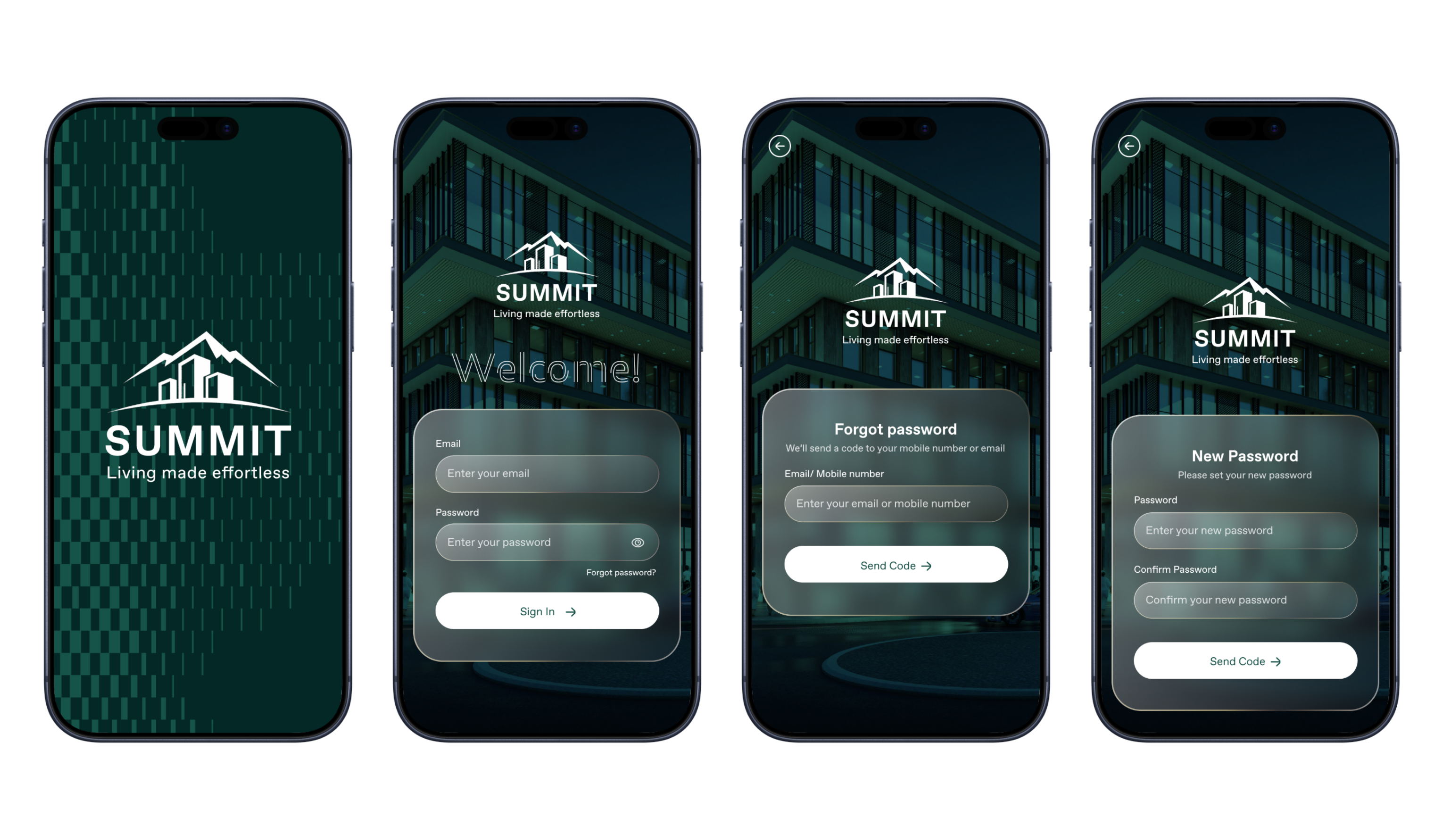
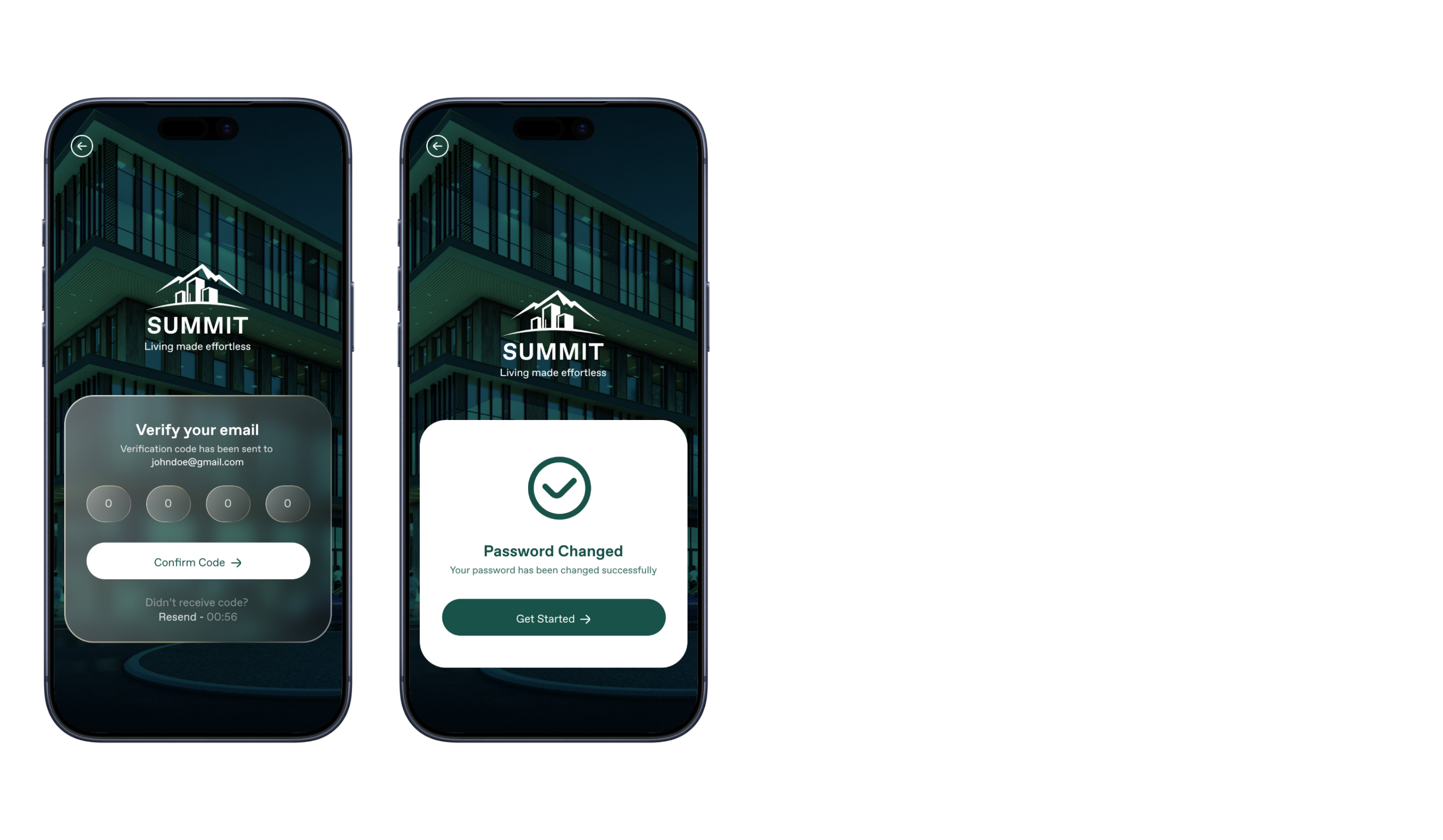
Login
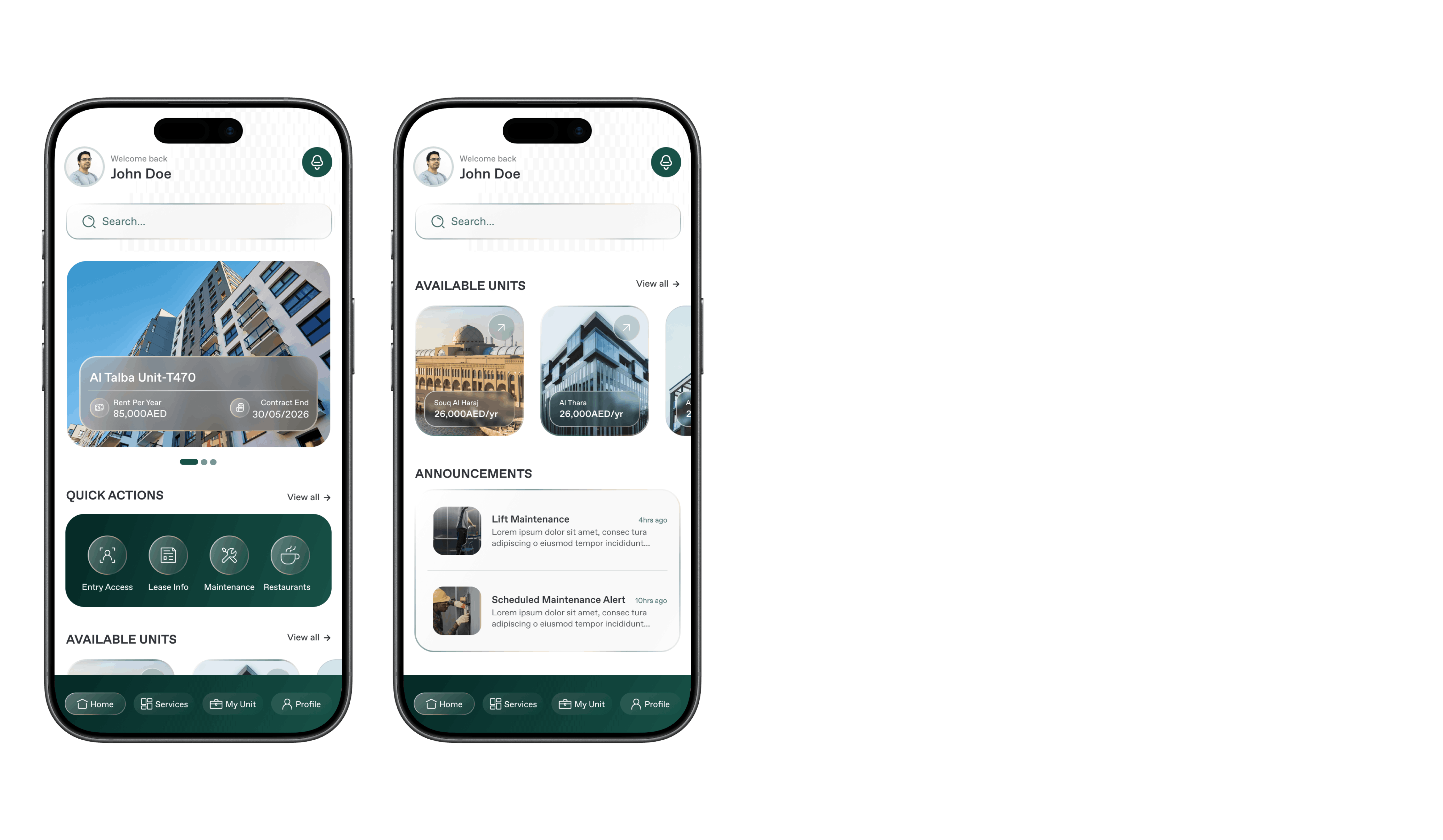
Homepage
The homepage acts as the central dashboard for tenants, providing a quick overview of their unit information and key activities. It displays summaries such as payment status, important updates, and service shortcuts for quick access. Users can also view announcements from property management and explore newly available units for rent. The design prioritizes clarity and quick navigation to frequently used features.
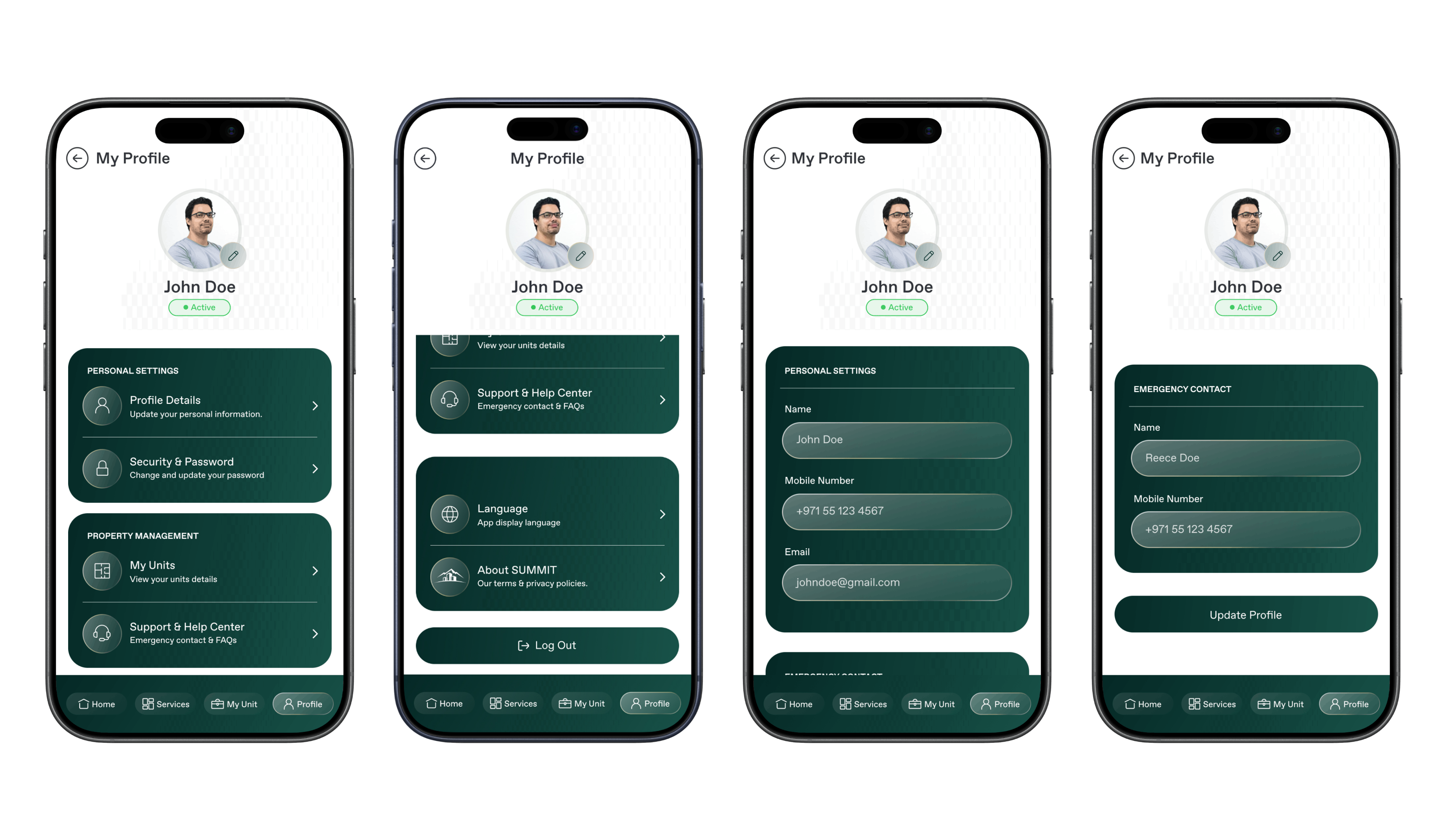
Profile Module
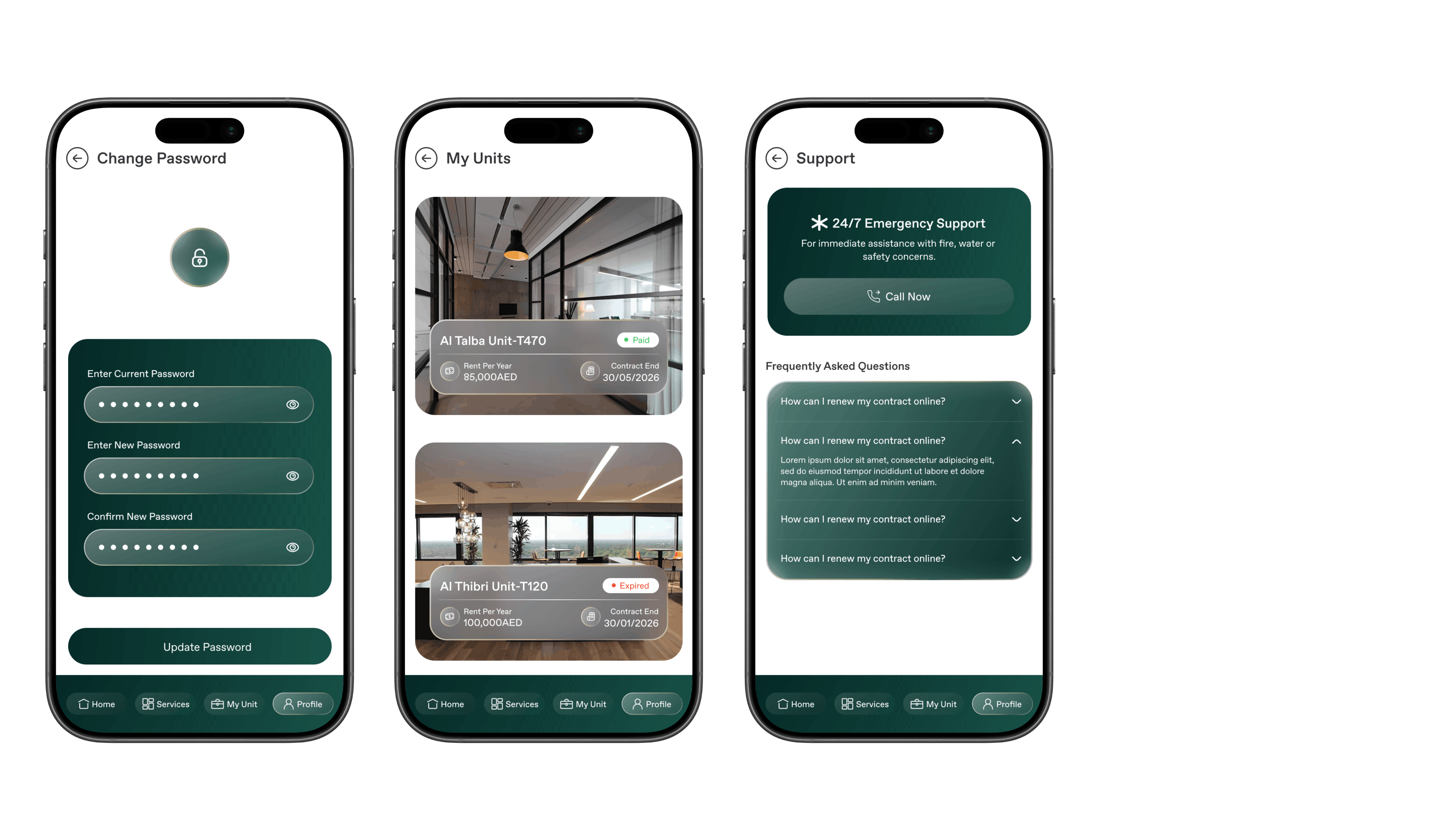
The profile module allows tenants to manage their personal account information within the app. Users can update profile details, change passwords, and adjust language preferences. It also provides quick access to their registered units and support channels. This module ensures tenants can easily maintain accurate account information and contact the management team when needed.
Services Module
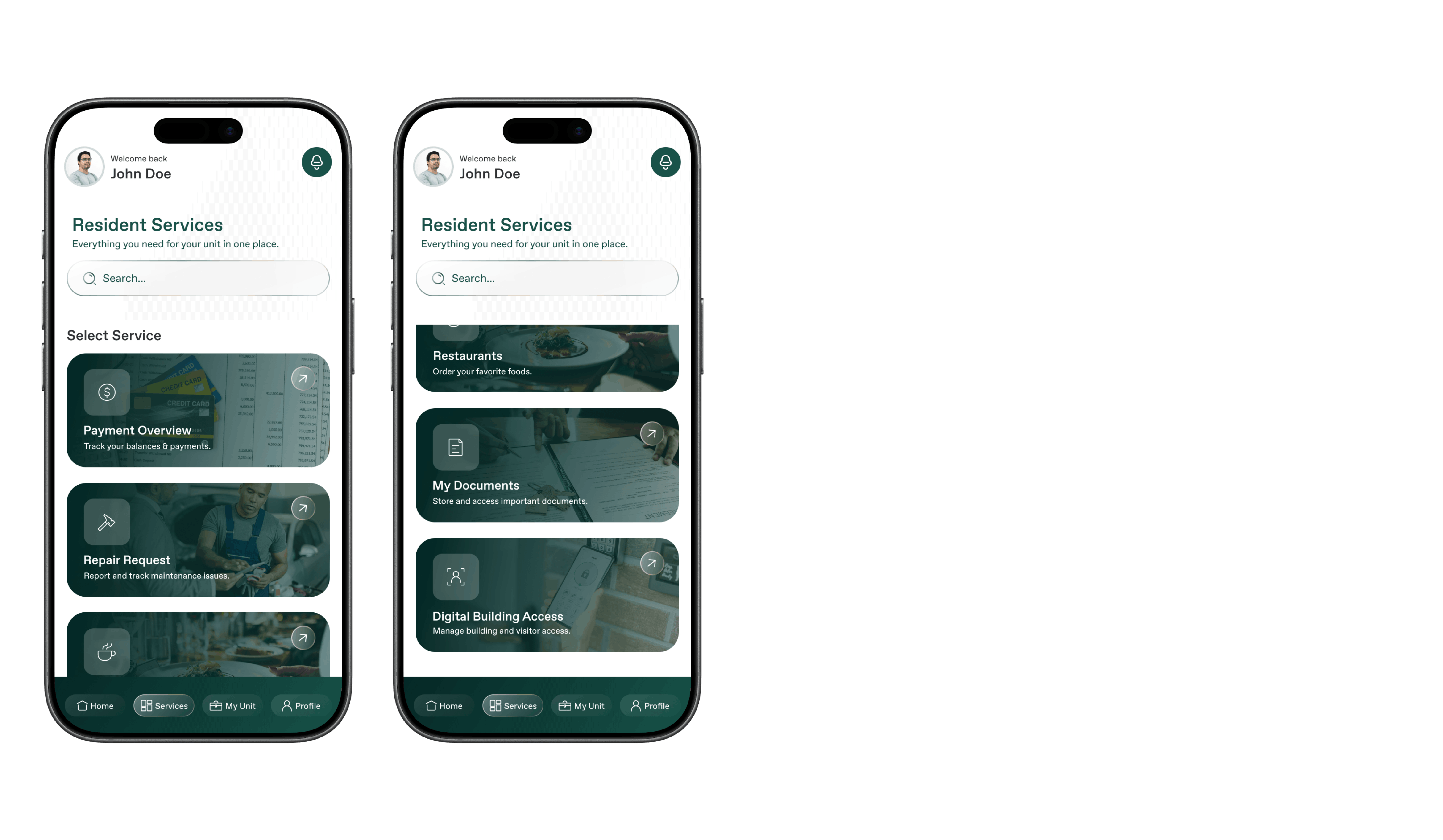
The services module serves as a central hub for all tenant services available within the platform. From here, users can access key services such as payments, maintenance requests, restaurants, documents, and digital building access. The goal of this module is to organize services in a clear and accessible way. It simplifies navigation and ensures tenants can quickly find the service they need.
Payments Module
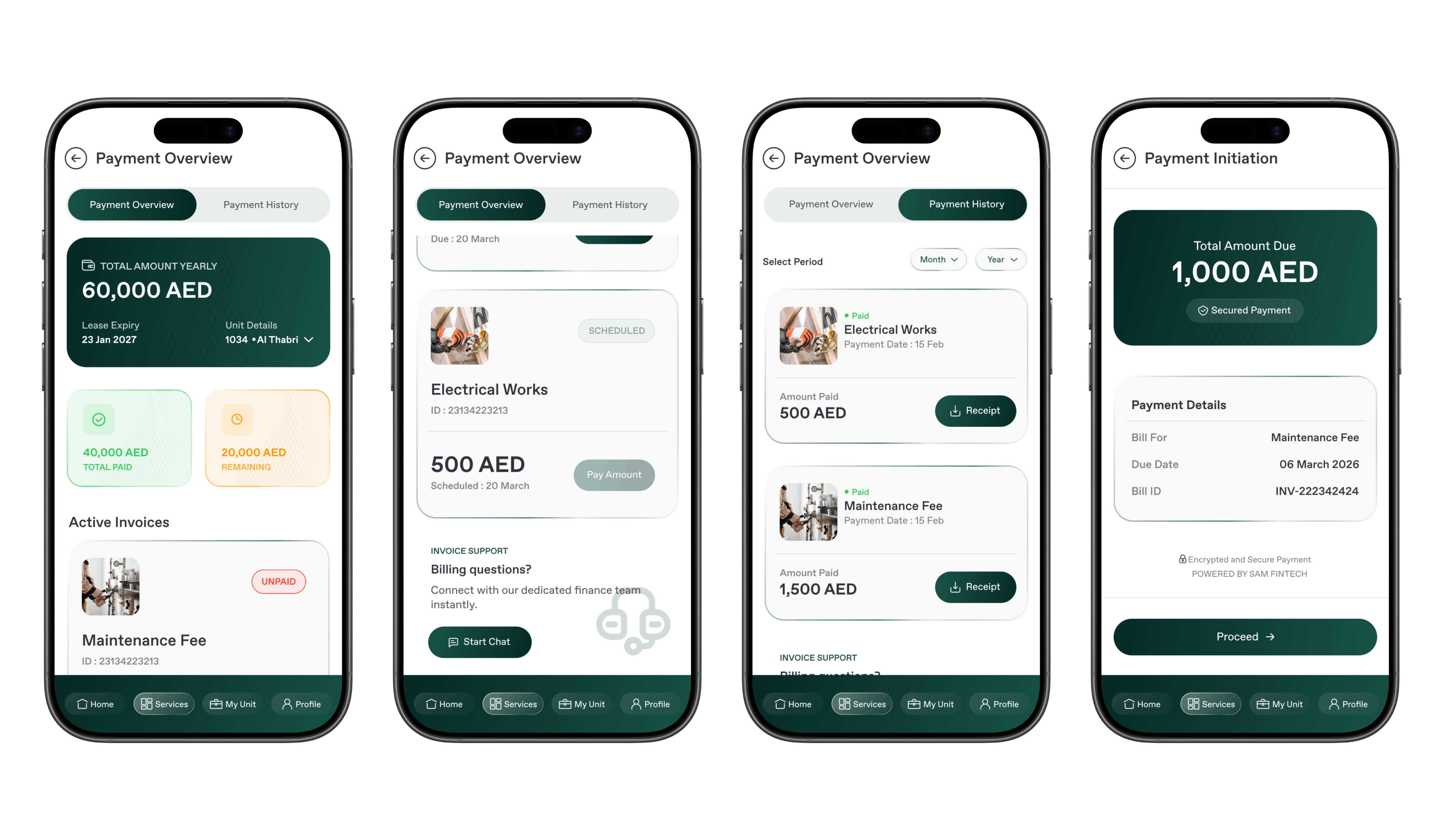
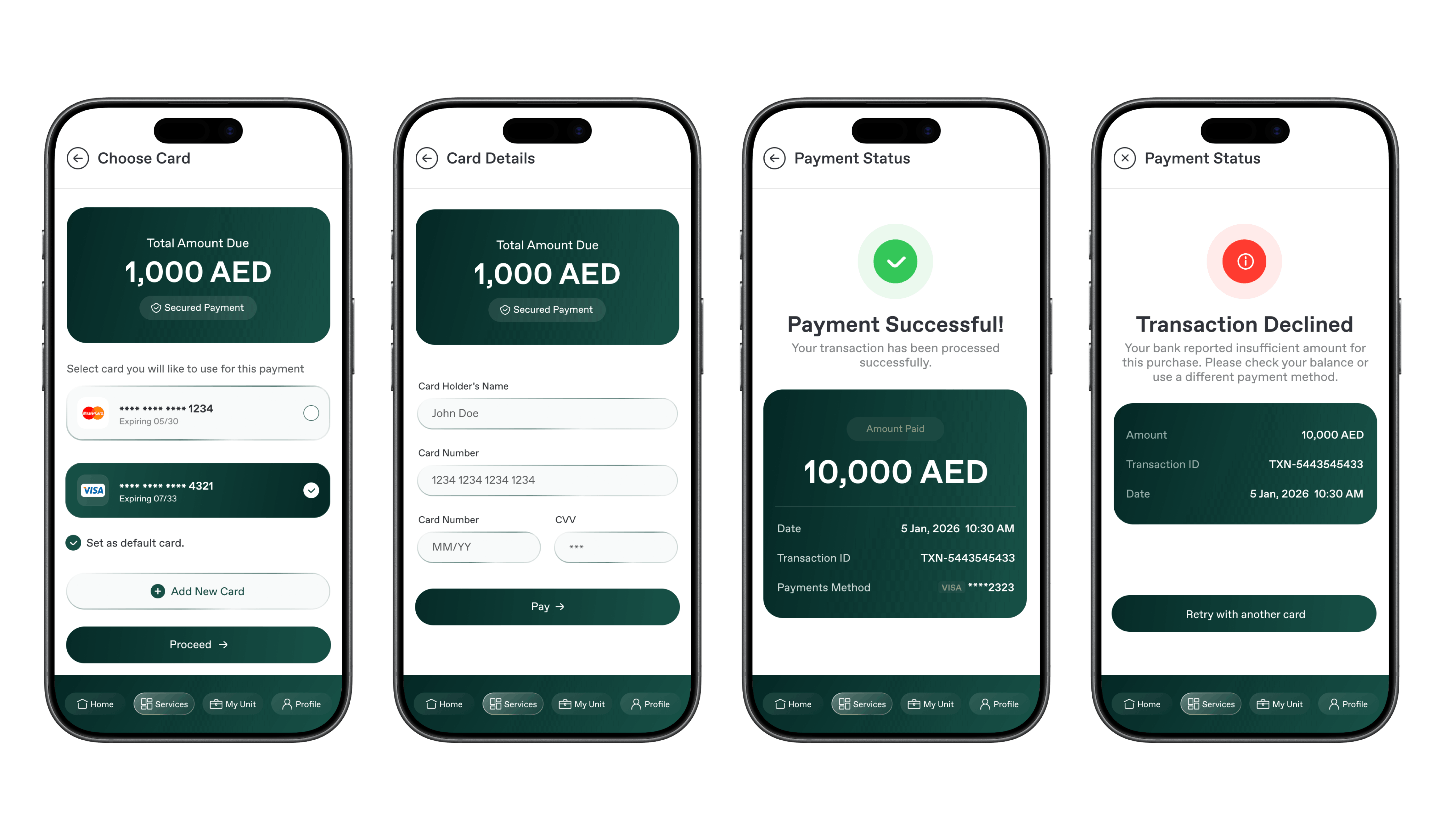
The payments module enables tenants to view transaction history and manage their financial obligations related to their unit. Users can check payment summaries, view outstanding balances, and complete various payments directly within the app. The interface is designed to make financial tracking transparent and simple. This reduces the need for manual payment processes or office visits.
Maintenance Module
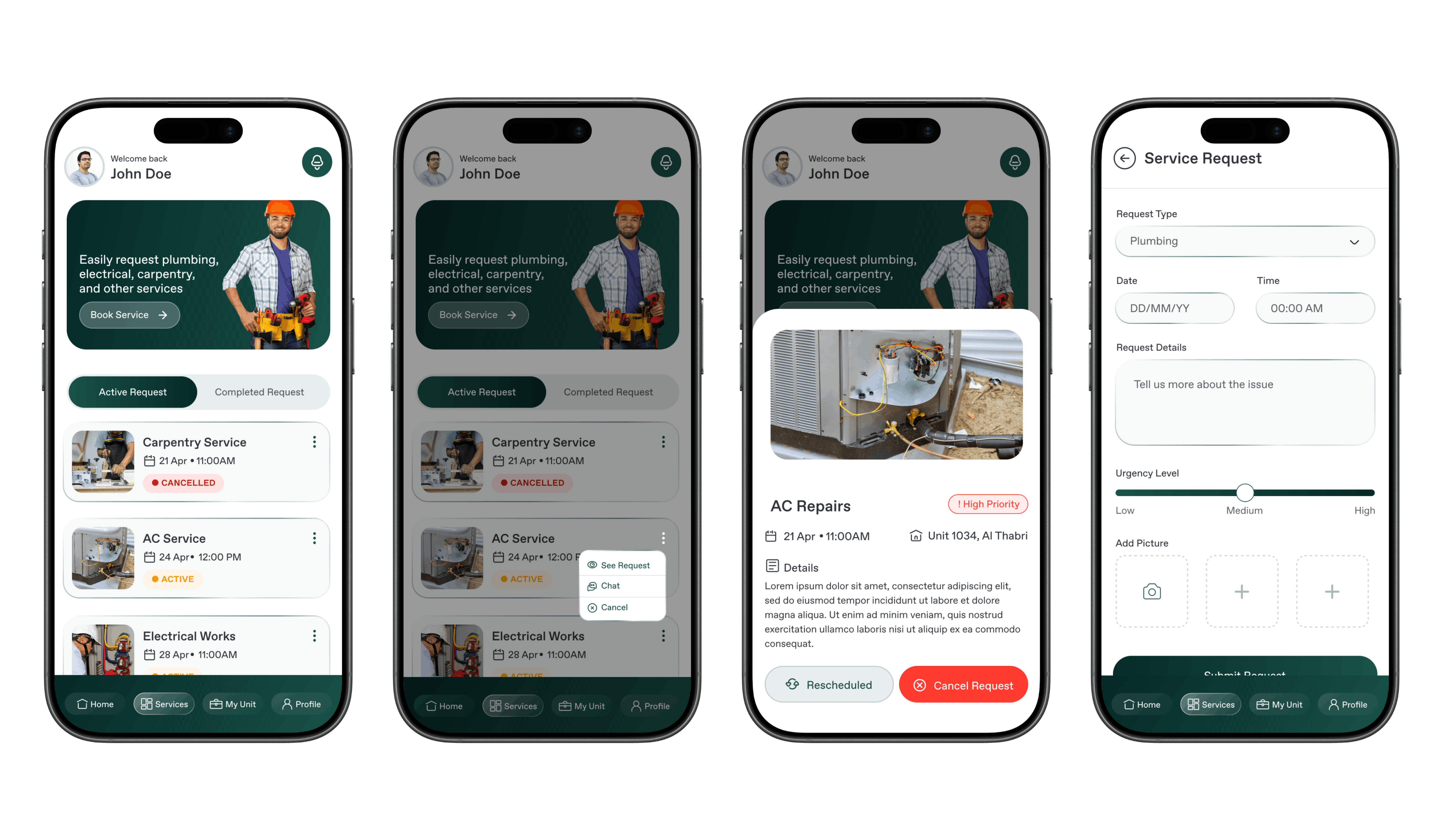
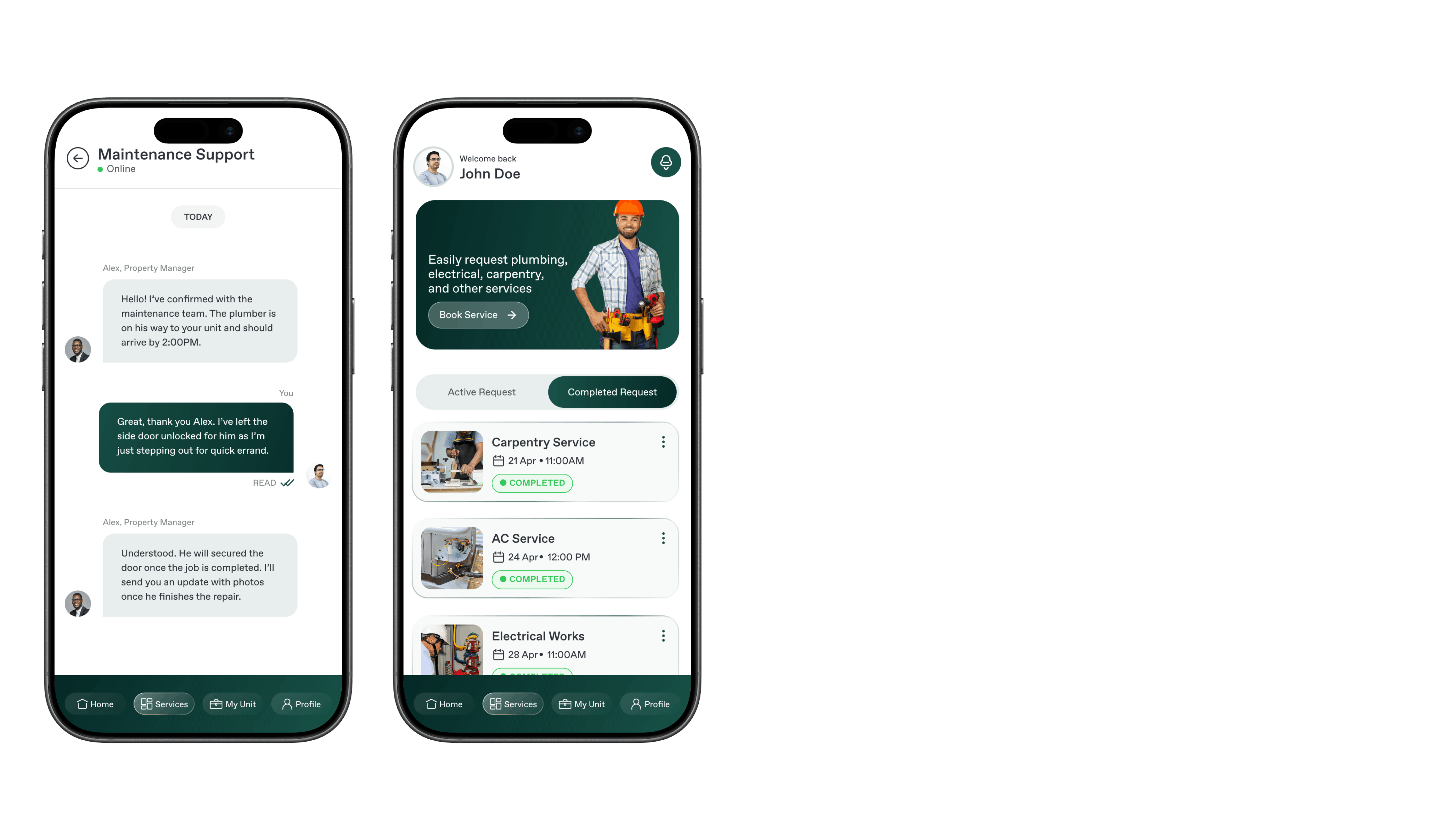
The maintenance module allows tenants to submit repair and service requests for their unit directly through the app. Users can describe issues, select service categories, and track the status of their requests. This creates a streamlined communication channel between tenants and the maintenance team. The system helps ensure quicker response times and better service management.
Documents Module
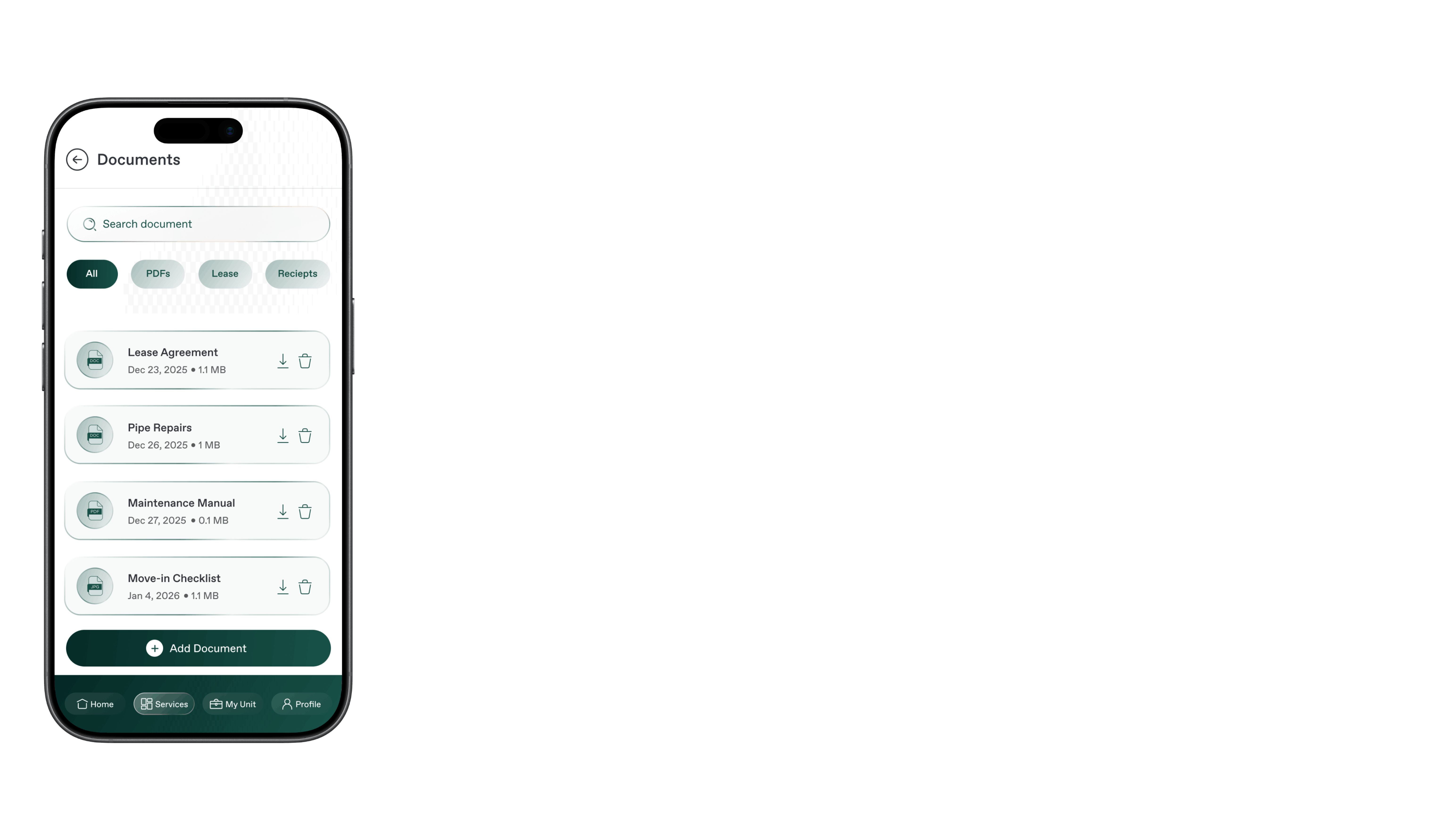
The documents module provides tenants with secure access to important property-related files. Users can view documents such as lease agreements, invoices, and other relevant records. The module also allows tenants to upload required documents when requested by management. This feature eliminates paperwork and ensures all documents are stored digitally in one place.
Digital Access Module
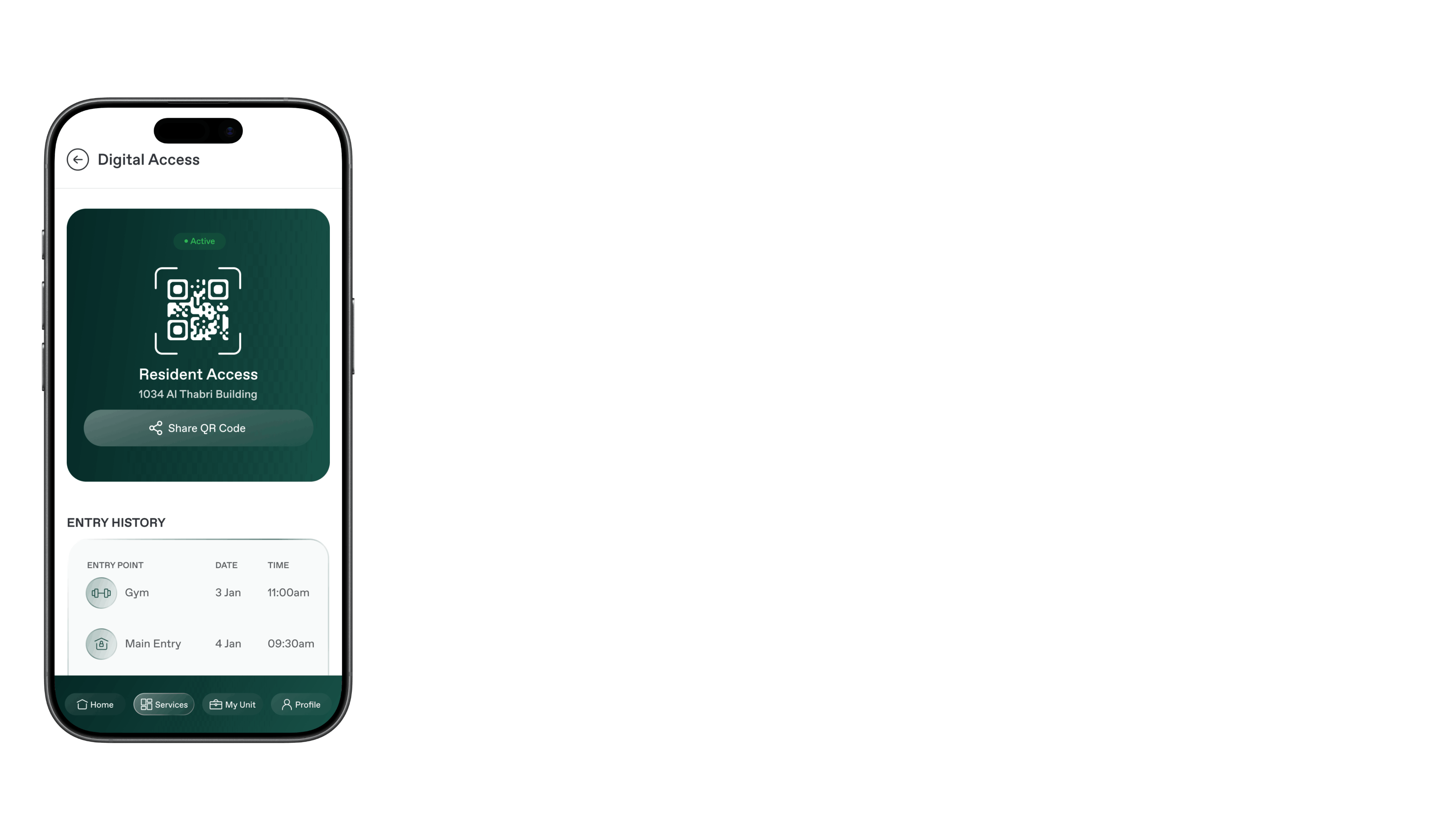
The digital access module enables tenants to generate secure QR codes for visitor entry into the building. Tenants can share these codes with guests to allow quick and seamless access through the building’s entry system. This reduces the need for manual visitor registration or security approval. The feature improves both convenience and building security.
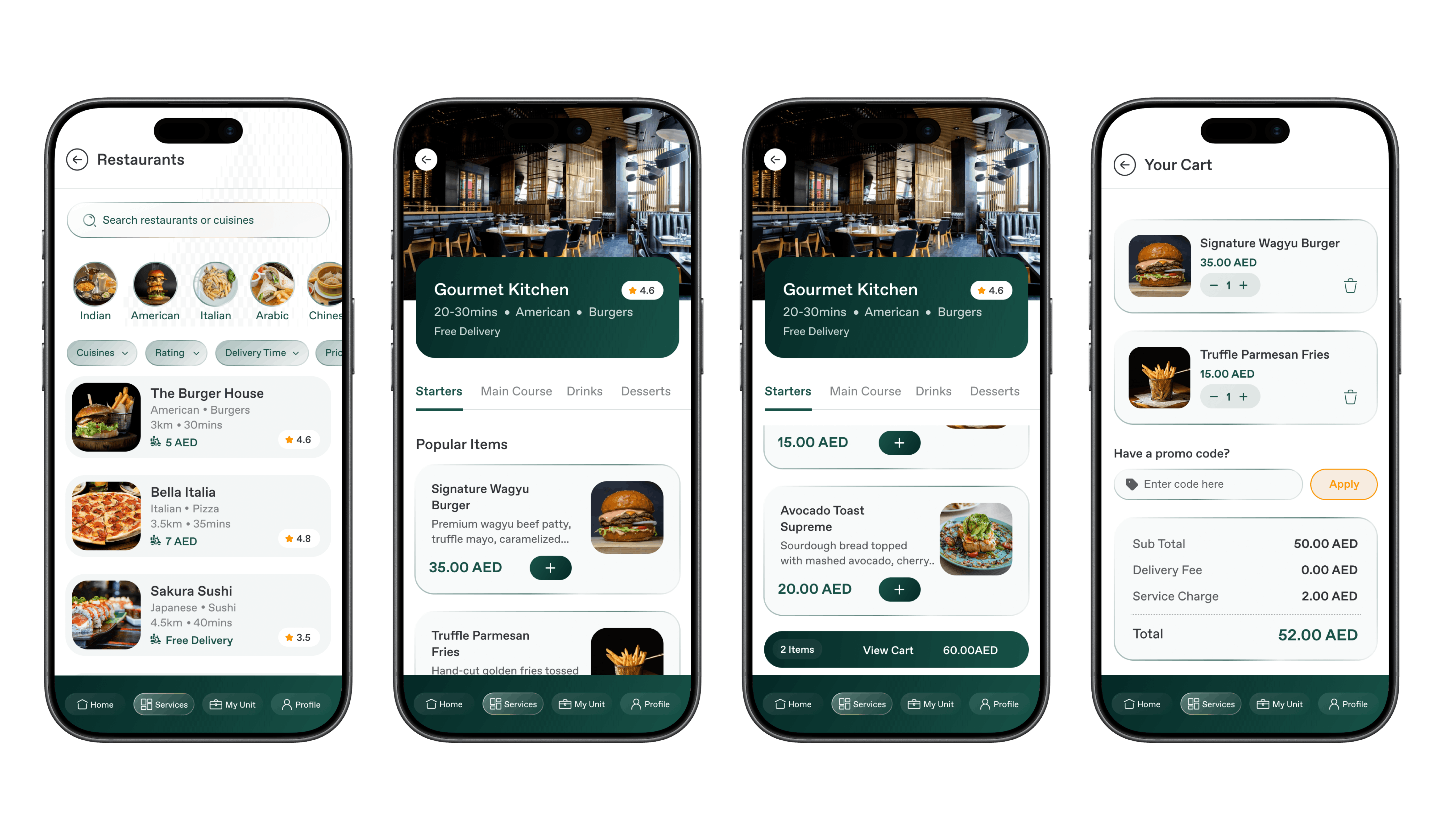
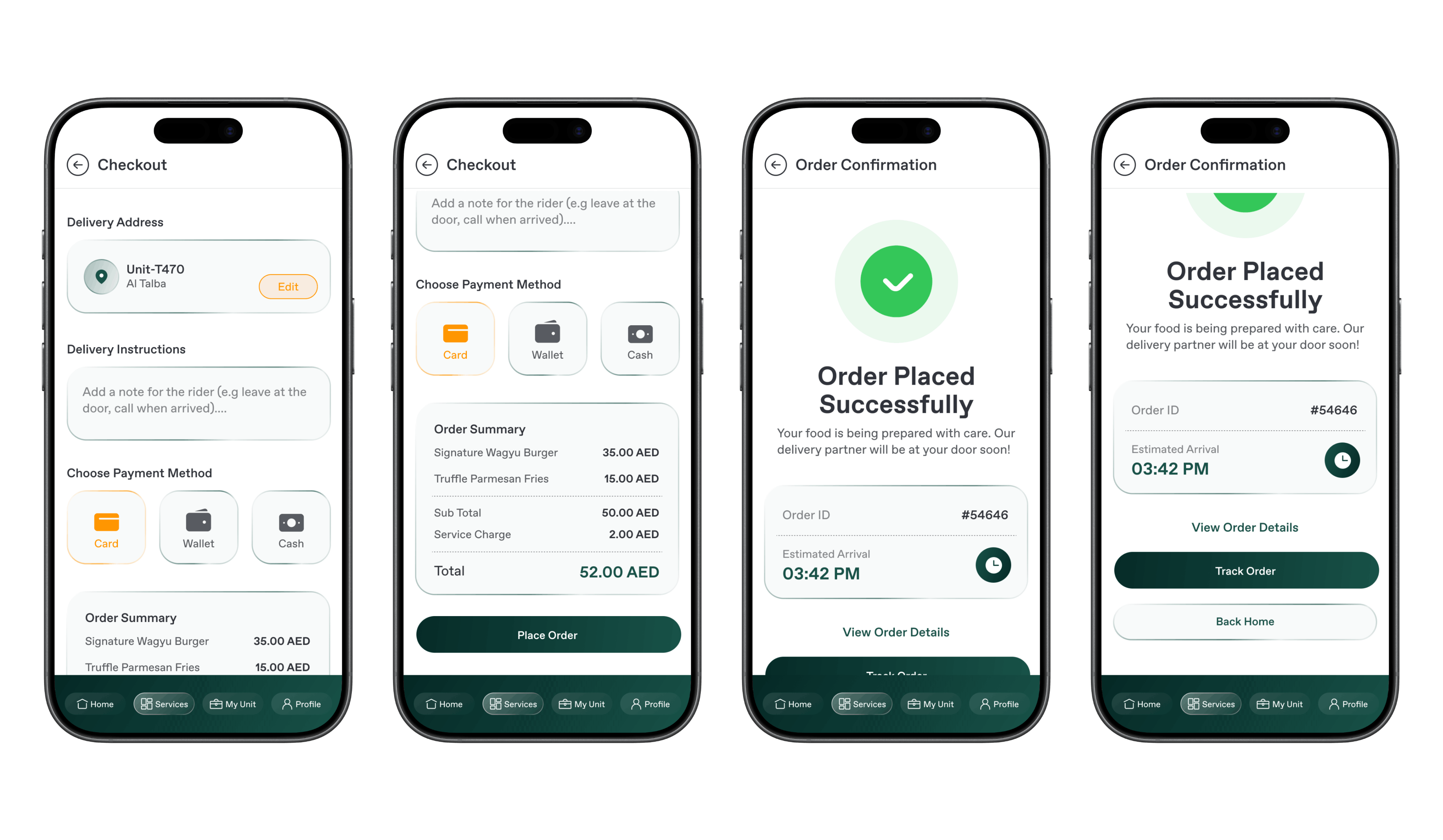
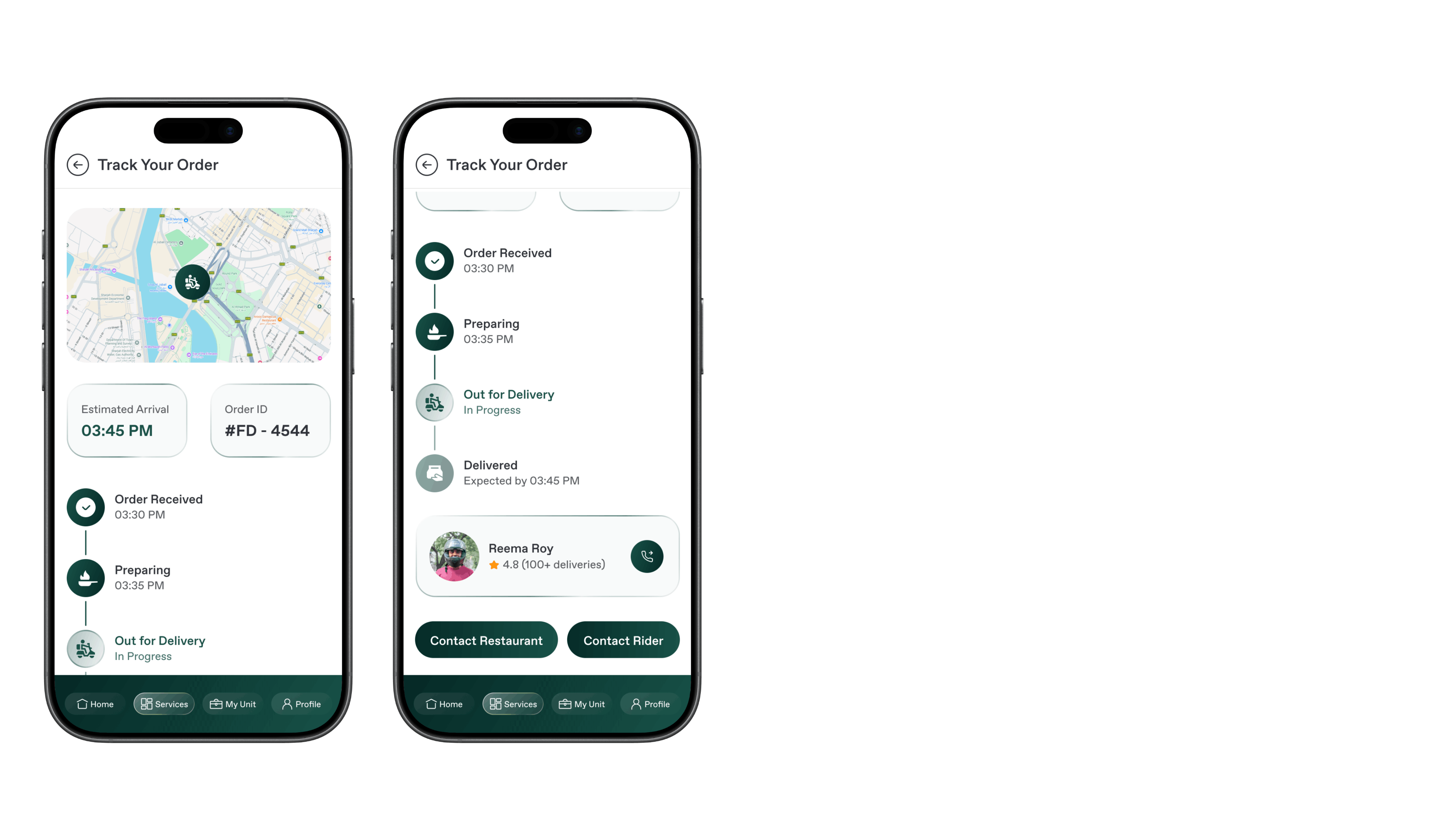
Restaurants Module
The restaurants module allows tenants to browse nearby restaurants and place food orders directly from the app. Users can view menus, select items, and complete payments within the platform. This feature integrates lifestyle convenience into the tenant experience. It transforms the tenant app into a broader service platform beyond property management.